
How long would it take for your organization to obtain 40 million customers for a new product? For Google+, it took less than six months. And while comparatively adoption of the Google+ brand pages for organizations is relatively slow, the potential for such a page to significantly impact your organization is considerably high. We’ve included some examples of how businesses are using it below.

If you’re like many people out there, you’re wondering how or why to use this new social networking tool. We have four insights that may help you make a sound business decision about adopting a Google+ brand page.
1. Your followers pick you. Customers have to seek you out and add you before you can add them to your “circles” on Google+. As a result, the people following your brand on Google+ are the right people – they want to engage with you.
2. It provides for targeted communication efforts. You can group your followers in “circles,” and can target your content to specific groups. If you have one message for employees, your customers don’t have to see it. If you have a product that crosses specific industries, you can tailor a message for customers in one segment, and have a completely different message for another group of customers. You can post written content, link to a video, share photos or “hang out” (see next tip).
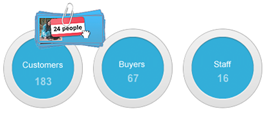
3. Hangouts provide for personalized communication. A “Hangout” is a group video chat feature included in Google+ that allows you to interact with your followers in a personalized video conference chat. You can hold business meetings, demo a product via the Share a Screen feature or brainstorm a new idea with the SketchUp feature. While only 10 people can actively participate in a hangout, there is no limit to the number of viewers.
Macy’s, for example, did a Hangout where it brought in fashion bloggers to give fashion advice to its followers on Google+.
Photographer Jim Davis recently used a Hangout to discuss specific techniques with other photographers. In this example, notice how he shares the screen.
In another example, a guitar studio used a Hangout to provide a group guitar lesson.
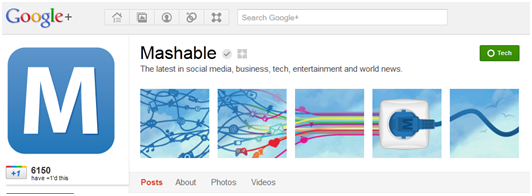
4. It perpetuates your brand. Do you want to be #1? Then you need to embrace the +1.Google’s +1 button is Google’s way of tracking who is endorsing and/or interacting with your brand on the web. For example, Mashable posts news content online. Readers may like a story and choose to click the +1 button to give it a positive review (similar to a “like” button on Facebook), and choose whether or not to post the recommendation from their own Google+ individual pages.

While Google is still smoothing out all the wrinkles in this new social network, soon you will be able to analyze data related to the +1 clicks to see what is interesting to your followers. It is recommended that you incorporate the +1 button onto blog sites and editorials posted from your organization’s website.
Google offers easy-to-use code and various G+ buttons so that you can link your organization’s site to Google+. To find your specific code and buttons, go to the “Get Started” option under your brand’s name and avatar on your Google+ home page, then click “Connect your website.”
In addition, by linking to your Google+ page from your organization’s website or other social media channels, your page becomes eligible for Google+ Direct Connect, a resource for users to find and follow brands on Google+ via Google Search. Just as search engine optimization weighs pages to determine placement in the results of a Google search, Google+ Direct Connect uses an algorithm to weigh Google+ pages and return results that are appropriate to the user.
Based on these insights, we think Google+ is worth your organization’s time. However, there are three additional things to consider when you move forward.
- Choose your “owner” carefully. At this point in time, only one individual can “own” the Google+ brand page. It is linked to a single individual’s Google+ profile. Google notes that multi-administrator support is coming before the beginning of 2012. Until then, identify a person who you feel will be with the organization for the long haul to create and manage the page as there is currently no way to transfer ownership, which is tied to an email address, to another person.
- Post with care. Because the organization brand page is linked to an individual’s Google+ page, there is the opportunity for the user to post personal content to the company’s page. When posting, take time to check which page you’re posting from. (We have tips for Tweeting on behalf of an organization that are also applicable to managing a company’s Google+ page.)
- Design capabilities are limited. To those who thrive on the creative adaptability of some social media channels, Google+ pages have limited design capabilities, much like Facebook. Designers can change the company logo and the header art, which is displayed in five small boxes at the top of the profile. While this may seem stifling, some organizations have creatively used the five boxes to create a visually stimulating space.
Overall, by targeting people who want to hear from you, allowing more ways to conduct business remotely and enhancing search engine optimization, Google+ brand pages have a lot of promise. Even if you are not ready to take the time to build the brand page, claiming your space now is a great idea. In fact, we give it a proverbial +1.
Share with us: Have you created a Google+ brand page for your organization? What are your experiences?
Joni Kirk